Configure legislation. Enforce compliance by design.
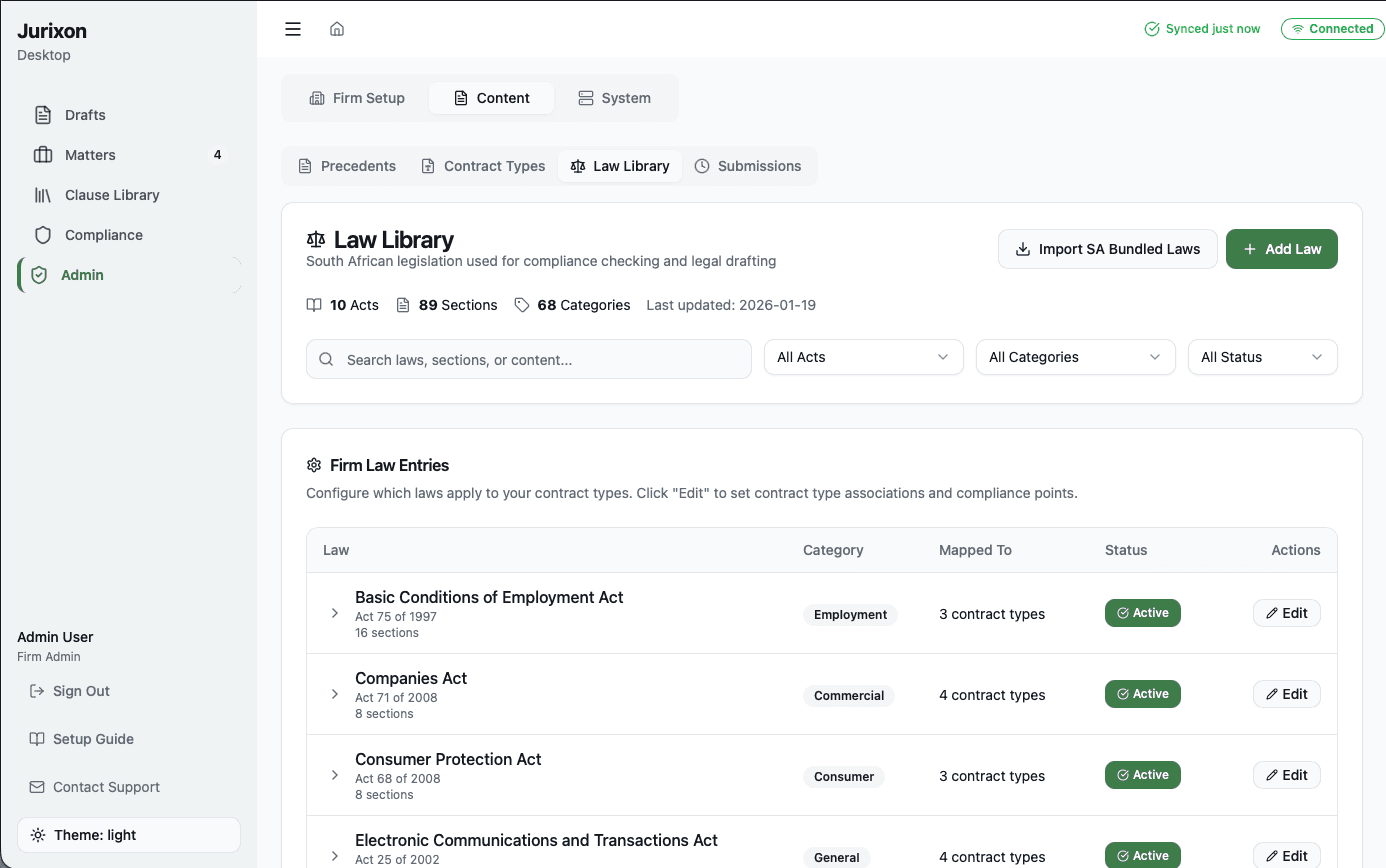
Setting up your Law Library involves selecting the relevant acts for your practice and mapping them to your contract types. By defining specific compliance points, you instruct the AI on exactly what rules to check against during the drafting process, ensuring every document is legally sound from the start.
1. Import relevant acts
Search and select from our library of pre-bundled legislation or add your own custom acts by name and citation to build your firm's legal foundation.
2. Assign to contract types
Map each act to the specific contract types it governs. For example, link the Companies Act to all 'Shareholder Agreement' types for automatic oversight.
3. Define compliance points
Break down acts into specific rules the AI must verify. Instead of 'comply with this act', you set clear instructions like 'ensure interest does not exceed the legal limit'.
4. Configure sections
Organize acts by sections and subsections to provide the AI with precise context. This allows for granular checking and more accurate compliance feedback.