Import your precedents. Set the firm's standard.
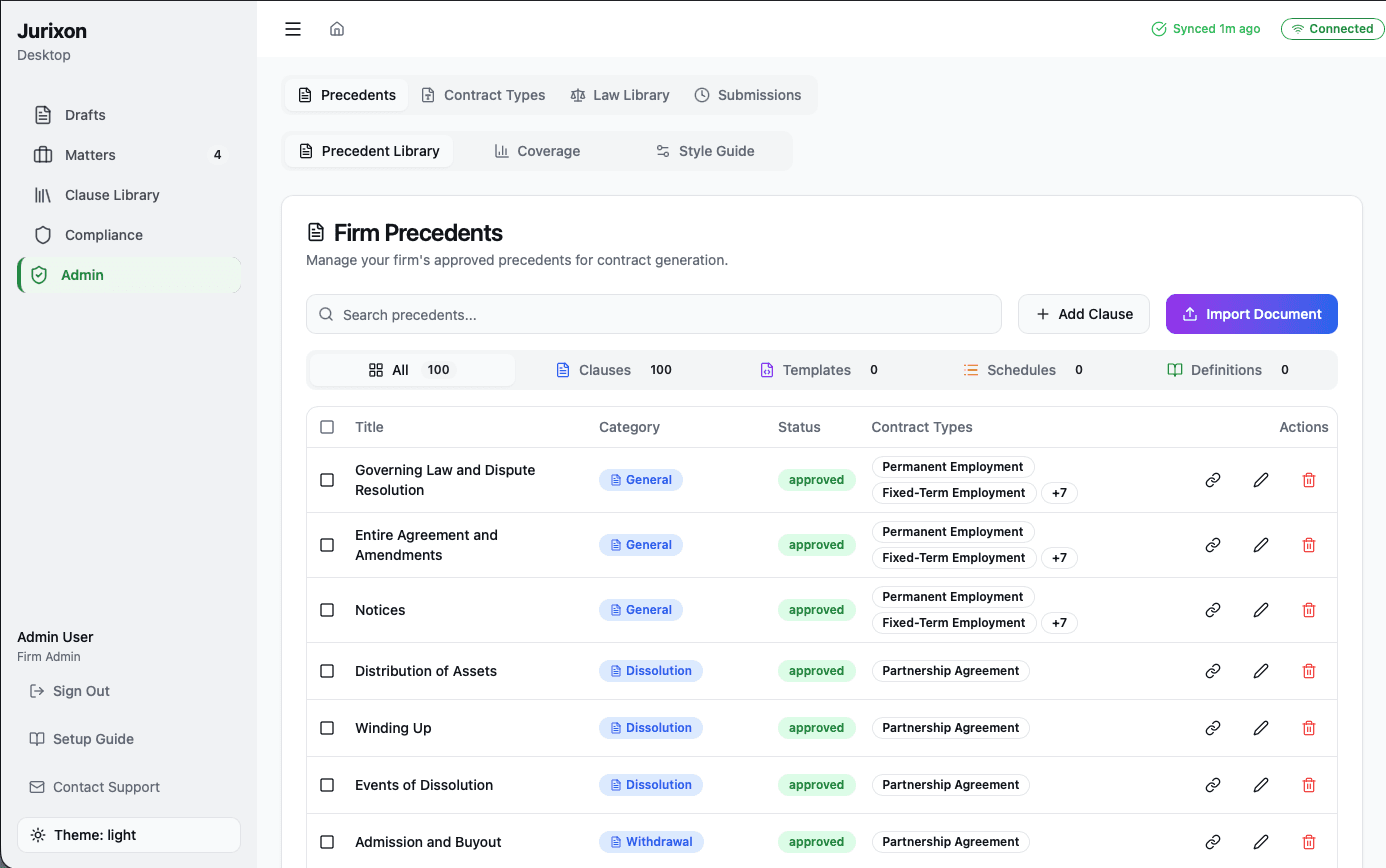
To set up your precedent library, simply upload your firm's existing documents. Jurixon's AI automatically extracts and indexes every clause, allowing you to categorize and approve them for use in future drafts. Once mapped to contract types, your precedents become the building blocks for every document the AI generates.
1. Upload your documents
Drag and drop your PDF or DOCX precedent files into the platform. Jurixon immediately begins processing and extracting individual clauses from the text.
2. Review and categorize
Navigate through the extracted clauses and assign them to specific categories like 'Liability', 'Term', or 'Payment'. This ensures the AI knows exactly what each clause represents.
3. Set approval status
Toggle the 'Approved' status for the clauses you want the AI to use. Only approved clauses will be pulled into new drafts, ensuring firm-wide quality control.
4. Link to contract types
Map your approved clauses to the relevant contract types. This tells the AI which precedents apply to a 'Commercial Lease' versus a 'Service Agreement'.